
Build a print studio sample pack
Use this pattern for a curated pack of paper samples, color references, binding examples, and finishing samples. It demonstrates variations, exact quantities, and supported component Add-Ons without requiring artwork upload.
Prerequisites
Publish sample products and variations for size, paper weight, color system, binding, or finish. Create accurate product images and use SKUs when the configuration may be exported to another site.
Configure the pack
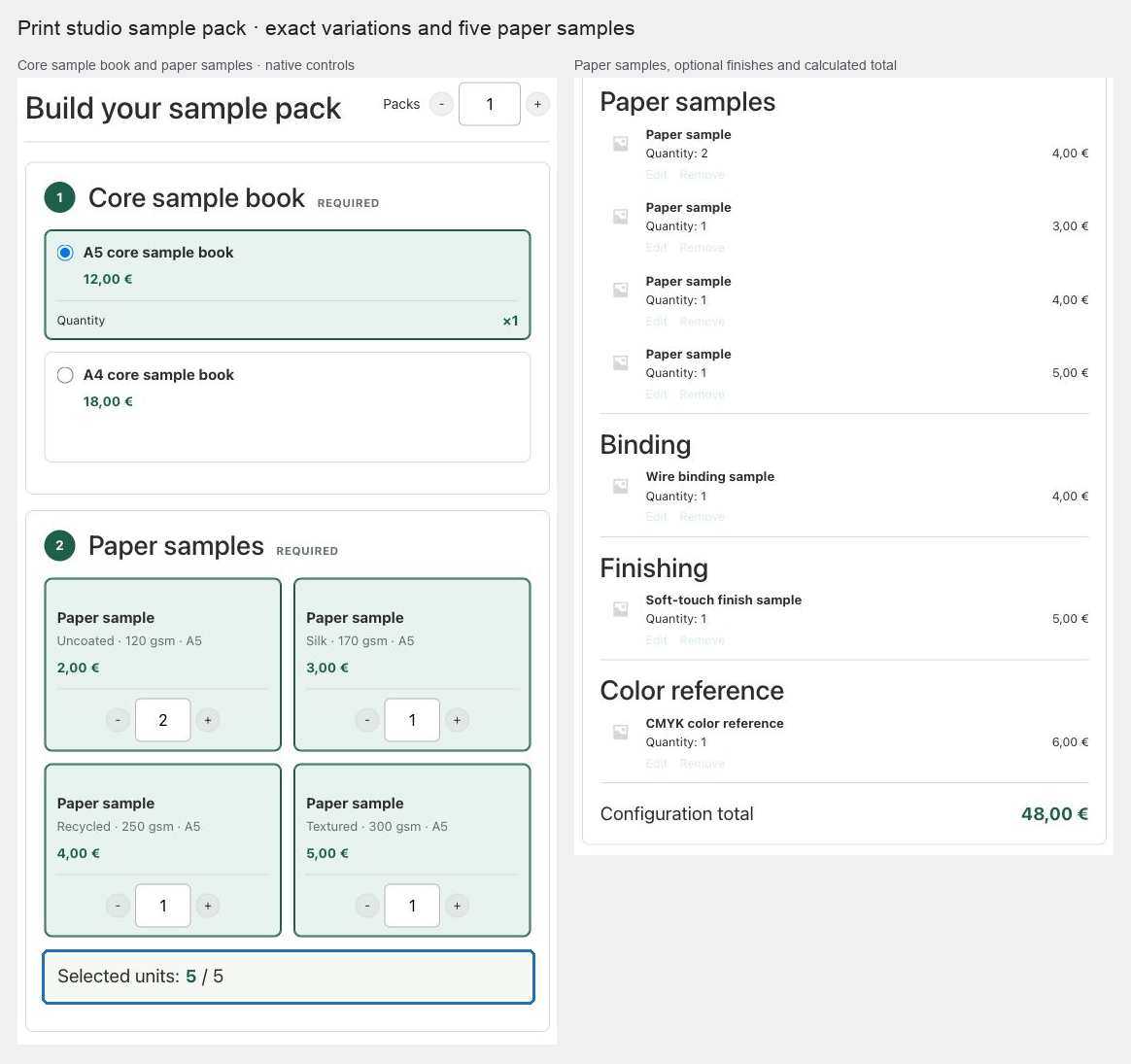
- Create a Composite product with a required Core sample book chapter using Radio list.
- Add a required Paper samples chapter using Quantity grid (−/+) and an Exact total units value such as
5. - Add optional Binding, Finishing, and Color reference chapters.
- Use exact variations where size or material must be unambiguous.
- Show images in the chapter styles, choose Slot builder, and use a Sticky summary in the product purchase area when the pack contents should remain visible.
- Use Fixed total when every allowed pack has one promotional price, or Base price plus components when premium samples add their current prices.
- When a component needs short personalization, use a supported POM Product Add-On text, textarea, choice, checkbox, custom-price, multiplier, heading, or date field.
- Choose Assembled: ship as the parent and publish.
Expected result
Customers select exact sample variations, satisfy the pack capacity, see one authoritative total, and receive one assembled parcel while stock is retained on the individual sample products.
File limitation
Product Add-On file uploads cannot be represented in a Composite component request. A directly configured component with an unsupported file field is blocked when the product is saved, and a dynamically sourced one is blocked on the storefront and quote. Use this pattern for sample selection rather than customer artwork submission.
Verify and troubleshoot
Test simple products and exact variations, the fixed-size boundary, both pricing approaches you intend to use, and an Add-On value through cart and order. If import preflight cannot resolve a variation, confirm its parent SKU and complete attribute combination are unique and unchanged.
Related: Reuse and transfer Composite chapters and Manage Composite carts and orders.