
Create a Gift wrapping add-on
Use this tutorial to offer one optional gift-wrapping service on selected products. The price and availability live in one reusable choice, so changing and publishing that record updates every linked product.
Prerequisites
- Enable Product Add-Ons under Settings → POM Tweaks → E-Commerce → Products.
- Choose the products or product categories that should offer wrapping.
- Decide the wrapping price in the store currency. This example uses
5.00.
Create the reusable service
- Go to Products → Product Add-Ons.
- Open Reusable choices and select Add reusable choice.
- Enter
Gift wrappingunder Name. - Optionally add a short description or image.
- Enter
5.00under Default price and choose Flat fee under Default price type. - Leave Enable this reusable choice selected.
- Select Create draft.
- Review Publication, then select Publish draft.
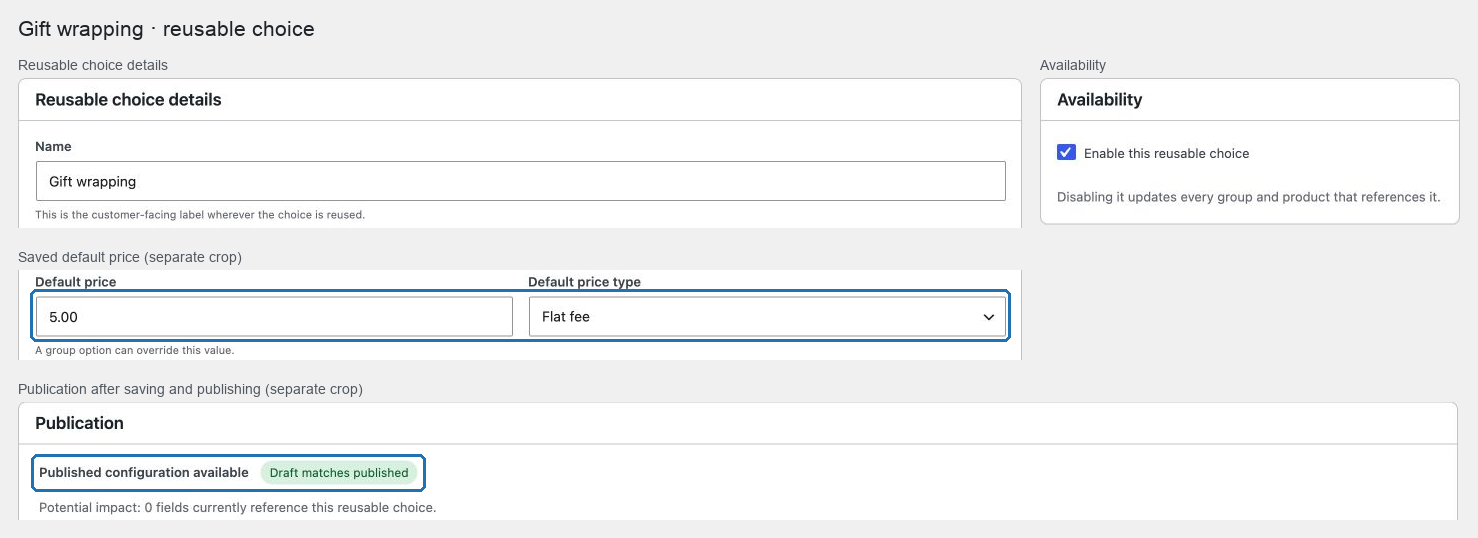
The flat fee is charged once per cart line, regardless of the product quantity. Choose Quantity based instead only when every unit in the line needs its own wrapping charge.
Add it to an assigned group
- Return to Products → Product Add-Ons → Groups and select Add group.
- Enter
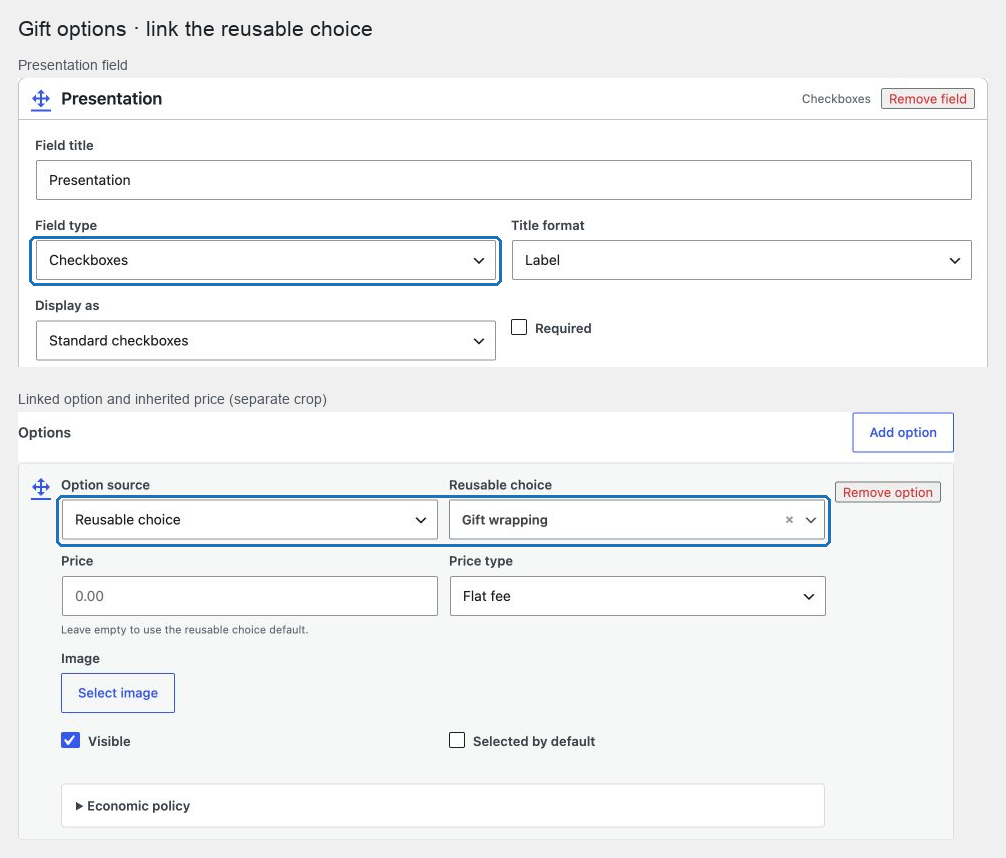
Gift optionsunder Internal name and, if desired, the same text under Customer-facing group name. - Under Product assignment, select the intended Product categories or Individual products. Leave All products clear unless wrapping belongs across the catalog.
- Select Add field.
- Enter
Presentationunder Field title and choose Checkboxes under Field type. - Select Add option and choose Reusable choice under Option source.
- Search for and select
Gift wrapping. - Leave the option price empty so it inherits the reusable choice's default.
- Leave the option unselected by default so customers opt in deliberately.
- Select Create draft, review the assignment and publication impact, then select Publish draft.
Test the customer flow
- Open an assigned product in a private browser window.
- Select Gift wrapping and add one unit to the cart.
- Confirm the cart shows the selected label and adds
5.00once. - Remove the line, add several units with wrapping, and confirm the fee is still
5.00for that line. - Complete a test checkout and confirm the choice appears on the order line.
- Open a product outside the assignment and confirm the field is absent.
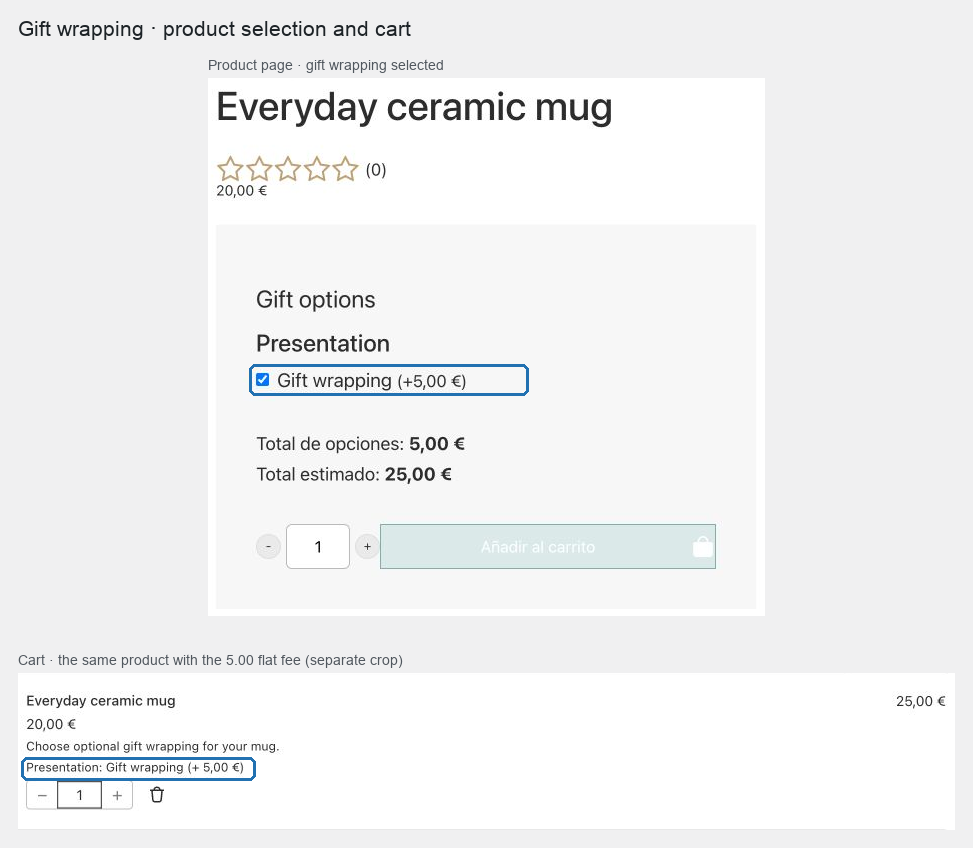
Expected result: customers can opt into wrapping on assigned products, the flat fee is charged once per line, and the accepted label remains visible in the cart and order.
Change the service later
Edit Gift wrapping under Reusable choices, change its price or availability, select Save draft, review the reported usage, and select Publish draft. Hide it from every group removes an unavailable choice; Keep it visible but disabled keeps the label and customer message visible without allowing selection.
Troubleshooting
- The option is missing: confirm both the reusable choice and group have a published revision and that the product matches Product assignment.
- The price is duplicated per unit: change the reusable choice's Default price type to Flat fee, save, and publish.
- A field still uses an old override: edit the linked group option and clear its local price so it inherits the reusable default.
- The draft is not visible to customers: saving and publishing are separate actions; confirm Publication says the draft matches the published revision.
Related: Create groups and reusable choices, Choose a price type, and Publish and restore configurations.