
Build a coordinated furniture set
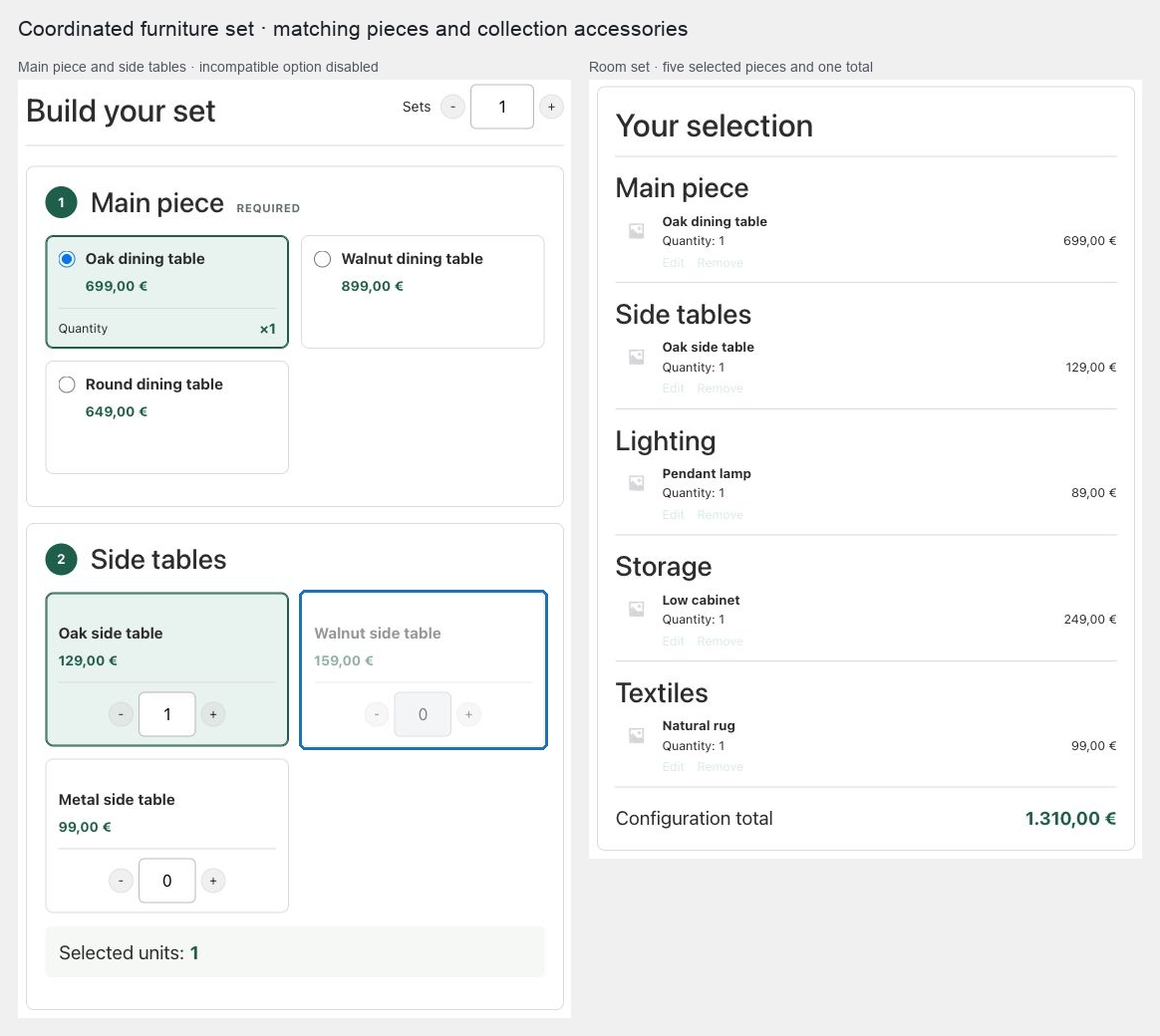
Use this pattern for a room set where customers choose a main item, matching pieces, and optional accessories that normally ship as separate products.
Prerequisites
Publish the main furniture as simple products or purchasable variations, with accurate dimensions, weight, shipping class, and stock. Use exact product lists when color or collection compatibility is strict.
Configure the set
- Create a Composite product with a required single-selection Main piece chapter.
- Add optional chapters for Side tables, Lighting, Storage, and Textiles.
- Use Products and categories when a curated collection should include current category additions but retain a few featured products at the top.
- Add explicit exclusions for oversized or discontinued pieces that remain in a broad category.
- Choose Slot builder, place its single summary in the product purchase area, and choose Sticky presentation when the selected room set should remain visible while customers browse chapters.
- Add scenarios that reveal collection-specific accessory chapters after an exact main product or variation is selected.
- Add directional compatibility rules for colorways or dimensions that cannot be combined.
- Use Base price plus components when the parent represents design or coordination service; otherwise use Calculated from components.
- Choose Separate: ship each component so WooCommerce and shipping extensions can package every physical product using its own dimensions and class.
- Publish the product.
Expected result
Customers build a coordinated set, see only relevant accessory chapters, and add one linked configuration. Each furniture line remains independently shippable while the cart and order preserve the set relationship.
Verify and troubleshoot
Test every main-product branch, including changing the main piece after accessories have been selected. Hidden-chapter selections should be removed. Confirm the shipping package contains individual physical component lines rather than a parent parcel.
If a matching accessory disappears after a catalog update, review its publication state, category membership, explicit exclusions, and compatibility rules.
Related: Control choices with scenarios and compatibility and Price and ship Composite products.