
Build a guided beauty routine
Use this pattern when the first product choice determines which treatment chapter appears next, while every selected item remains a real WooCommerce product.
Prerequisites
Publish cleansers, treatments, moisturizers, and optional tools. Use exact products for the choices that drive scenarios, because scenario product conditions target a product or variation rather than free-form questionnaire answers.
Configure the routine
- Create a Composite product with a required single-selection Choose a cleanser chapter.
- Add separate treatment chapters such as Hydration treatment, Oil-control treatment, and Sensitive-skin treatment.
- Hide the treatment chapters by default with an Always scenario.
- Add one scenario per exact cleanser or starter choice. Show and require only its matching treatment chapter.
- Add a required Moisturizer chapter and optional Tools and extras chapter.
- Use category sources with Dynamic membership for broad moisturizer or accessory ranges, plus exclusions for products that do not belong in the routine.
- Choose Accordion for browsing all visible stages or Stepped for a strictly guided flow.
- Use Calculated from components and current WooCommerce prices.
- Choose Assembled: ship as the parent and publish.
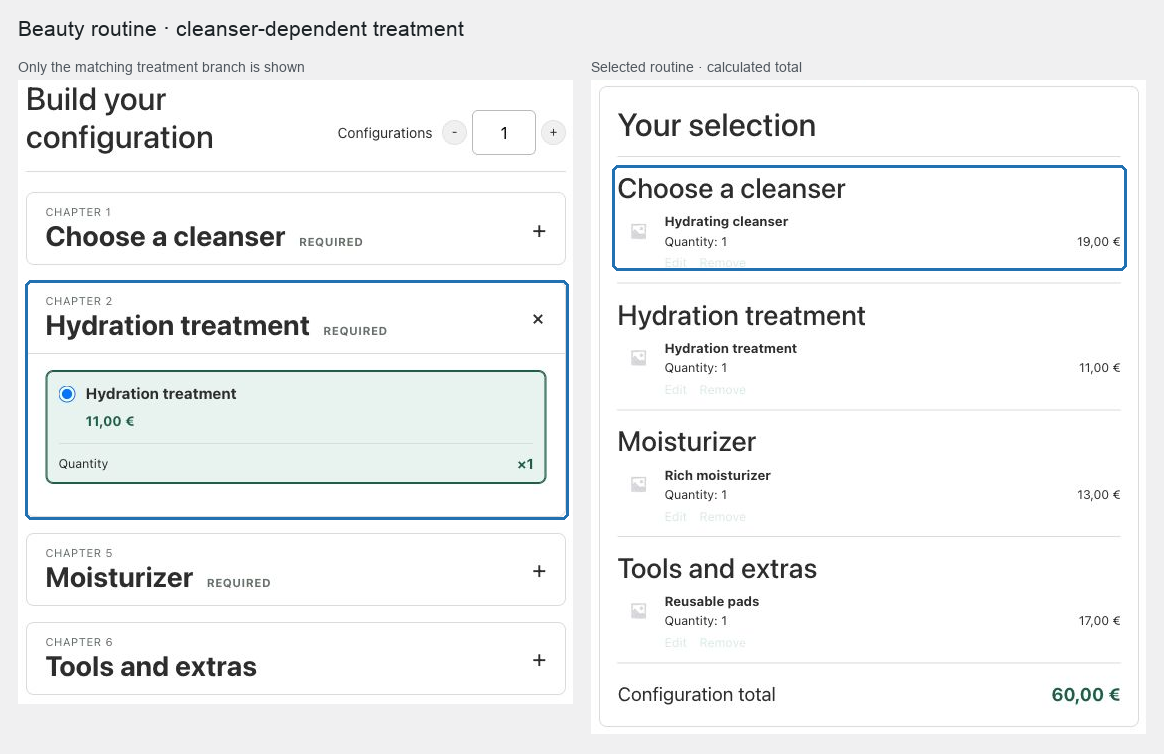
Expected result
Selecting the first product reveals the relevant treatment, makes it required, and keeps unrelated treatment chapters out of navigation and submission. Changing the first choice removes a former hidden-chapter selection before requesting a new total.
Verify and troubleshoot
Test every first-choice branch and switch between them after selecting a treatment. Confirm the old treatment is removed and cannot be injected through a modified request. Review Scenario preview when more than one scenario changes the same chapter.
Do not use scenario conditions as a substitute for a medical assessment. The supported conditions evaluate configured product selections and unit counts only.
Related: Control choices with scenarios and compatibility and Design chapters and choose a layout.