
Build a fixed-size meal box
Use this pattern when customers choose an exact number of prepared dishes across categories, with optional drinks or extras.
Prerequisites
Create WooCommerce product categories such as Mains, Sides, Desserts, and Drinks. Publish each dish with current stock, price, tax class, weight, and a clear product image.
Configure the box
- Create a Composite product and add a required Choose your meals chapter.
- Use Product categories, select all meal categories, and choose Dynamic: update options automatically.
- Set the chapter Exact total units to the box size, such as
6. - Set Minimum units per option to
1, Maximum units per option to the allowed duplicate count, and Quantity step to1. - Choose Quantity grid (−/+) so every meal has direct minus and plus controls. Show images and descriptions. Disable search when customers should browse the menu immediately; enable search or category filtering only when it materially helps a larger range.
- Add optional Drinks and Extras chapters when those items should not count toward the meal capacity.
- Choose Accordion for a compact flow or Slot builder with a Sticky purchase-area summary when the complete box should remain visible.
- Use Base price plus components when the box or preparation has a base charge, or Calculated from components when only selected dishes are charged.
- Choose Assembled: ship as the parent and publish.
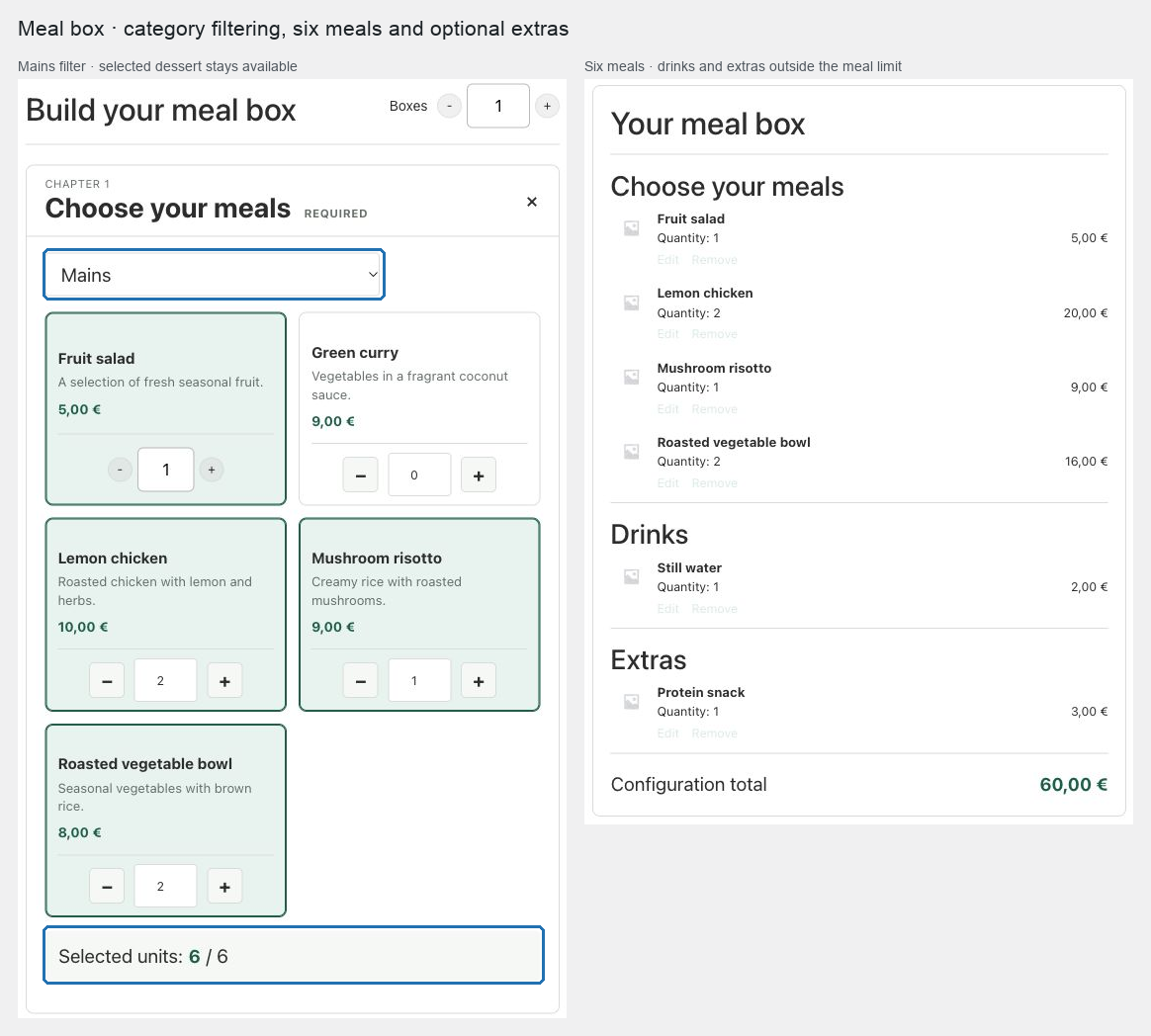
Expected result
Customers can mix dishes from the initially visible catalog, load later pages without losing selections, and cannot add the box until the exact capacity is reached. Any enabled search or category filter stays inside the approved source, and current dish stock is checked again before cart and checkout.
Verify and troubleshoot
Test duplicate quantities, the exact boundary, an unavailable dish, and a selected dish that disappears from the current search results. The off-page selection should remain in the summary; an unpublished or excluded dish should be removed on revalidation.
If extras are accidentally counted toward the meal capacity, keep the exact limit on the meal chapter instead of using a global exact limit. Use a global exact limit only when every visible chapter unit should contribute.
Related: Design chapters and choose a layout and Build a choose-your-own gift hamper.