
Build a custom computer
Use this pattern for a guided computer build with required core components, optional upgrades, exact variations, and compatibility rules.
Prerequisites
Publish supported CPUs, motherboards, memory kits, storage, graphics cards, cases, and optional services as simple or variable WooCommerce products. Keep each variation purchasable and give every component accurate stock and shipping data.
Configure the builder
- Create a Composite product and open Product data → Composite chapters.
- Add required, single-selection chapters for Processor, Motherboard, Memory, Primary storage, and Case.
- Add optional single-selection Graphics card and multiple-selection Accessories chapters.
- Use Specific products where compatibility is tightly curated. Use category sources only when every matching product is genuinely eligible.
- Choose Stepped so Next validates each required decision before moving on.
- Under Pricing and global limits, choose Calculated from components. Add a fixed Management fee when assembly should appear as a separate amount, or use a parent Base price for the service.
- Under Compatibility rules, make each CPU Require a supported motherboard or exclude known incompatible boards. Add reverse exclusions when either selection order must be blocked.
- Add a scenario that shows and requires Graphics card only for a processor choice that has no integrated graphics, when that matches the catalog.
- Add supported POM Product Add-Ons such as a text engraving or service choice to the relevant component product. Do not configure file uploads or booking multipliers inside a Composite component.
- Choose Assembled: ship as the parent and publish.
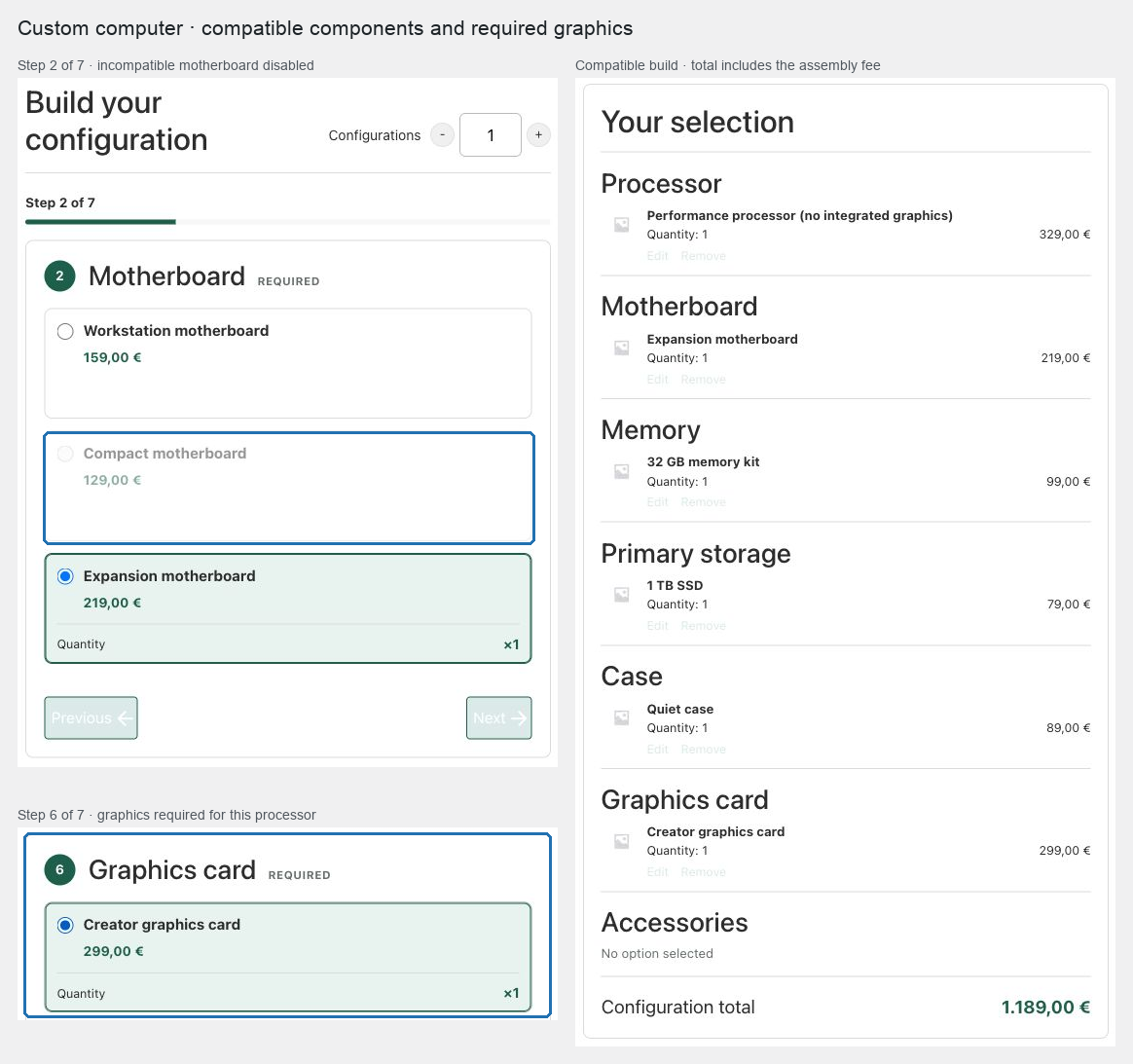
Expected result
The customer advances through required parts, sees incompatible options disabled or receives a clear requirement message, and gets one server-priced configuration. Real component lines preserve variation identity, stock, tax class, and order metadata.
Verify and troubleshoot
Test every compatibility pair in both selection orders. Confirm a manually altered request containing an excluded pair fails and that a required target cannot be omitted. Place an order with parent quantity greater than one and confirm actual component demand is multiplied before stock validation.
If the rule matrix becomes difficult to maintain, narrow chapter sources or split the catalog into several Composite products. Compatibility rules target exact products or variations; they are not a taxonomy-wide compatibility engine.
Related: Control choices with scenarios and compatibility and Manage Composite carts and orders.