
Build a camera kit
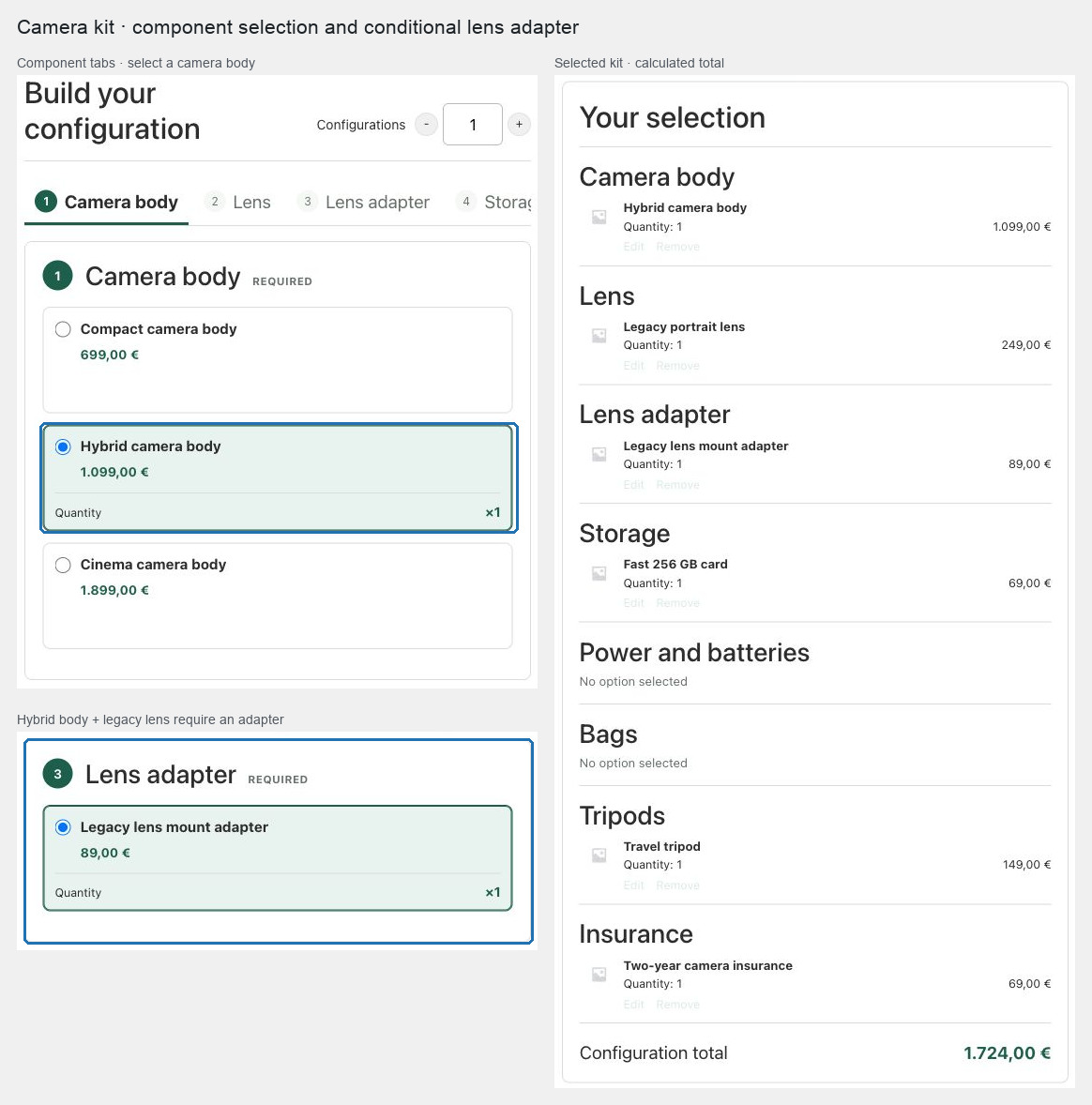
Use this pattern for a camera body, compatible lens, storage, power, protection, and optional accessories. It demonstrates conditional chapters and directional compatibility.
Prerequisites
Publish each body and lens as a simple product or exact variation. Create categories for broadly compatible accessories only; use exact product lists for mount-sensitive lenses and adapters.
Configure the kit
- Create a Composite product with a required Camera body chapter using Radio list.
- Add a required Lens chapter. Use Specific products unless a category contains only compatible choices.
- Add a required Storage chapter and set Minimum total units to
1. - Add optional Power and batteries, Bags, and Tripods chapters using Selection list or Quantity grid (−/+) so customers can combine products.
- Add an optional Insurance chapter with the available cover products. Set Maximum units per option to
1, so the selected cover is shown as×1, and set its chapter shipping mode to Virtual: never ship this chapter. - Choose Componentized so experienced customers can move directly between the chapter tabs.
- Under Compatibility rules, make body or body-variation choices exclude incompatible lenses. Add the reverse rule when either selection order must immediately disable the other product.
- Add a scenario that reveals an Adapter chapter when a body and legacy-lens combination requires one. Make it required only in that branch.
- Use Calculated from components and current WooCommerce prices.
- Choose Partial: choose by chapter if the core kit ships assembled but a large tripod ships separately. Set core chapters to Assembled into the parent parcel, the tripod chapter to Ship components separately, and insurance to Virtual.
- Publish the product.
Expected result
The customer cannot purchase an incompatible body and lens, sees an adapter only when the configured scenario matches, and receives the intended parcel split without losing component stock tracking. Insurance contributes to price and order detail but never creates a shippable parcel.
Verify and troubleshoot
Test compatible, excluded, and adapter-required combinations. Verify the chapter tab list updates when the adapter chapter appears or disappears. In the cart, confirm core components follow the parent parcel while a separately shipped tripod keeps its catalog dimensions and shipping class.
If a category-sourced lens appears unexpectedly, use an explicit product exclusion or change the lens chapter to Specific products.
Related: Control choices with scenarios and compatibility and Price and ship Composite products.