
Get started with POM Translate
POM Translate adds multilingual content, localized routes, language selectors, and translation workflows to WordPress without creating a separate post or term for every language. This chapter takes a site owner from the production package to one manually translated post that has been checked as a signed-out visitor.
Choose the right article
| If you need to… | Read |
|---|---|
| Understand the product’s scope before changing the site | What POM Translate does |
| Compare its one-object model with a duplicate-content workflow | How POM Translate differs from duplicate-post translation |
| Check WordPress, PHP, permalinks, permissions, and optional integrations | Requirements and compatibility |
| Install the production ZIP and confirm activation completed | Install and activate POM Translate |
| Connect the free renewable subscription to the current domain | Activate your POM Translate license |
| Learn which administration screen owns each decision | Tour the POM Translate interface |
| Add one target locale without changing the site’s source language | Add your first additional language |
| Extract and translate the title, excerpt, and body of one post | Translate your first post |
| Prove the localized route and rendered result outside WordPress administration | Test a translated page as a visitor |
| Review the complete multilingual surface before publication | Multilingual site launch checklist |
| Update the plugin or prepare a safe support request | Updates, support, and safe maintenance |
Recommended first translation
- Confirm the site meets the supported platform requirements and uses working pretty permalinks.
- Install and activate the official POM Translate release package.
- Validate the POM Translate license for the current domain.
- Set the source site language under Settings → General.
- Open Settings → POM Translate → Languages setup → Base setup and add one additional language.
- Leave browser-language detection disabled during the first deterministic test.
- Confirm the post type and required fields are enabled under Settings → POM Translate → Content types.
- Save one representative source post so POM Translate can discover its translatable values.
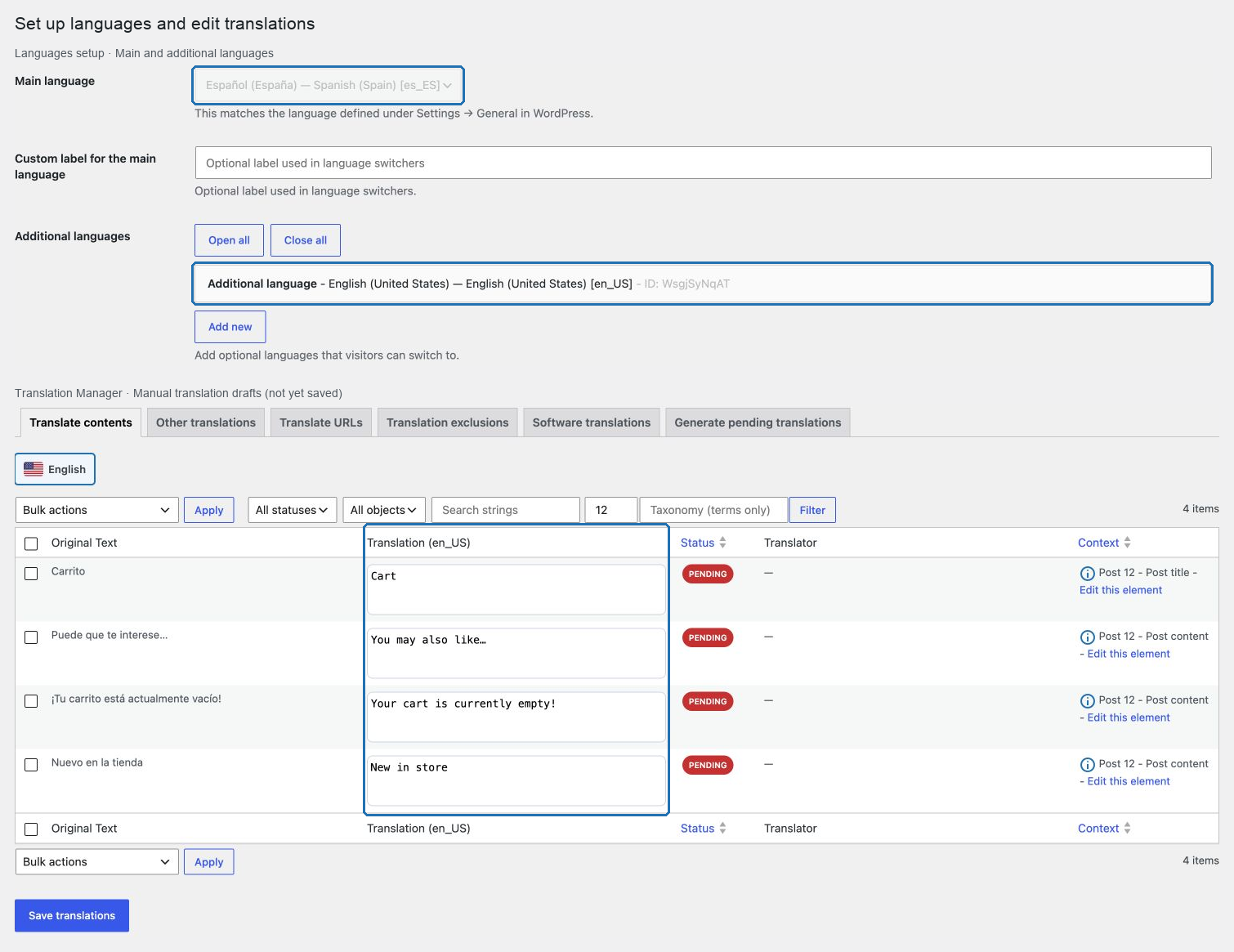
- Use Translations → Translate contents to enter the target text and save it.
- Open the localized URL in a private browser window and compare it with the source route.
Use a short but realistic post for this first pass. Include a title, excerpt, two body paragraphs, one formatted phrase, and one internal link. That combination is enough to verify extraction, protected formatting, link localization, source fallback, and the public route without involving every integration at once.
What this first chapter proves
Completing the chapter proves that the installation can:
- keep one WordPress post as the canonical object;
- discover source values when the post is saved;
- store a manual translation for a configured target locale;
- resolve the target locale from its URL prefix;
- reconstruct the translated content while preserving supported markup;
- fall back to the source value when an individual translation is empty;
- expose a private update check through the licensed POM channel.
It does not prove that menus, taxonomies, custom post types, custom fields, WooCommerce, software strings, AJAX/REST output, SEO metadata, selectors, or every cache layer are ready. Those surfaces need their own representative review before launch.
After the first post
Continue with How POM Translate works before scaling the content set. Then configure additional languages, content types, taxonomies, menus, URL translations, selectors, machine translation, software strings, WooCommerce, SEO, and maintenance only where the site actually uses them.