
Display and find events
This chapter covers everything visitors see: the single event page, the searchable list, the calendar, and the settings that shape them.
In this chapter
| Topic | Article |
|---|---|
| The event page itself | The single event page |
| The event archive | The event archive |
| The searchable list | The event search form |
| Its shortcode options | Search form options |
| Hiding the date picker | Hide the search calendar |
| The month calendar | The full calendar · Calendar shortcode |
| Letting visitors save the date | Add to calendar |
| What appears and what does not | Past and upcoming events |
| Moving between events | Related and neighbouring events |
| Images in lists and headers | Featured and fallback images |
| What visitors read when nothing matches | Empty results and error messages |
| Checking it on a phone | Responsive event pages |
The three public surfaces
The single event page is rendered by the plugin's own template. You do not place it anywhere; it is what an event's URL shows.
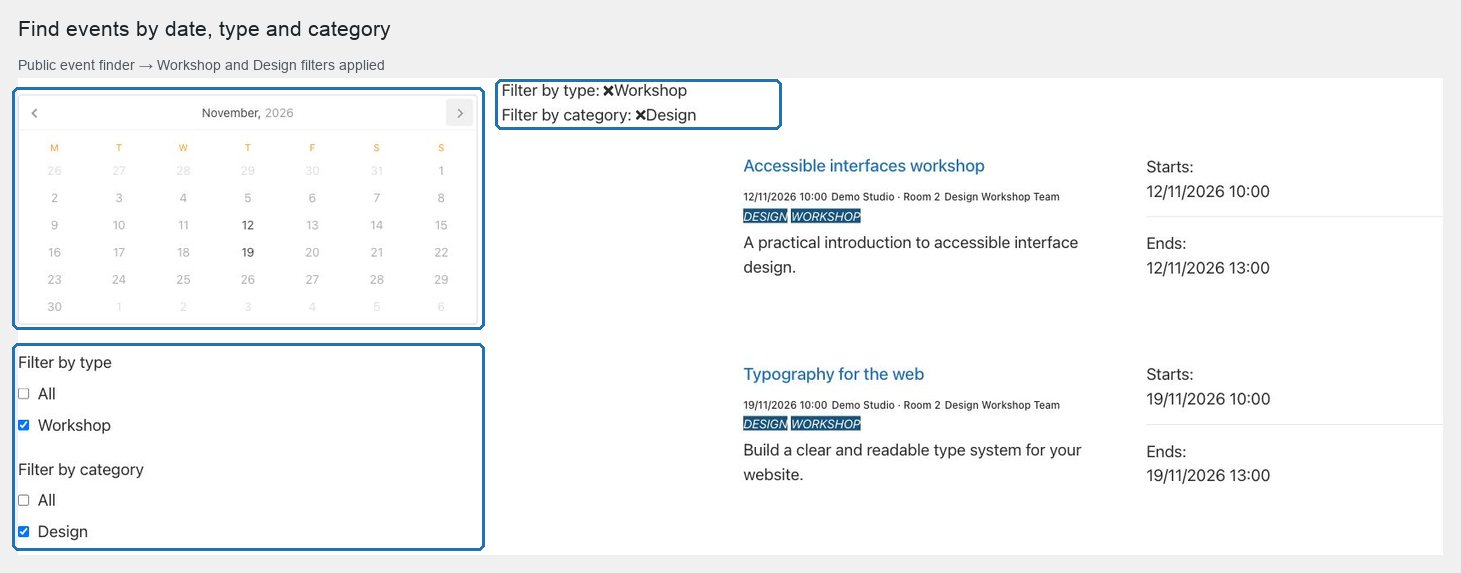
The search form is a shortcode you place on a page. It is the main way visitors browse events, with a date picker and type and category filters.
The calendar is a second shortcode, showing a month view of every published event.
Most sites use one page with the search form, and some add a calendar page as well.
Nothing appears until you place it
Activating the plugin does not add an events page to the site. Placing [web_event_search_form] on a page is a deliberate step, and it is the one most often forgotten during setup.
Decide early which page visitors will reach from the main navigation.
What the lists show by default
The search form shows events that have not yet finished — those whose end date is today or later — ordered by start date, ascending.
That is why the end date matters so much: it is what removes a finished event from the list, with no manual step.
Where the display settings live
| Setting | Where |
|---|---|
| How many events per page, list images, list dates, the empty-result message | Settings → POM Events → Archive |
| Subheader, title, add-to-calendar, go-back button, header image, related content | Settings → POM Events → Single event |
| Whether the date picker is shown | The shortcode's own attribute |
| Which layout the page uses around the shortcode | The page itself |
Start with The single event page.