
Create and manage events
An event is a content type of its own: a title, a description and an image like any post, plus an Events settings panel carrying everything specific to an event — dates, place, organizer, links, registration options and capacity.
In this chapter
| Task | Article |
|---|---|
| Write the parts every event shares | Title, content and image |
| Set when the event happens | Event dates and times |
| Mark an event as lasting all day | All-day events |
| Choose how dates are printed | Date display formats |
| Publish an event without showing dates | Hide event dates |
| Add the short lead paragraph | The event introduction |
| Say where it happens | Event location |
| Credit the organizer and give a contact | Organizer and contact details |
| Add extra buttons to the page | Additional links |
| Store a campaign hashtag | Event hashtags |
| Classify events so filters work | Types, categories and tags |
| Link events to articles and articles to events | Related content |
| Control what is visible and when | Status and visibility |
| Reuse an event's setup for the next edition | Duplicate and reuse events |
| Look up any field quickly | Event panel reference |
The three parts of an event
The post part — title, editor content, excerpt, featured image, author, and the taxonomy terms. Standard WordPress, and everything you know about it applies.
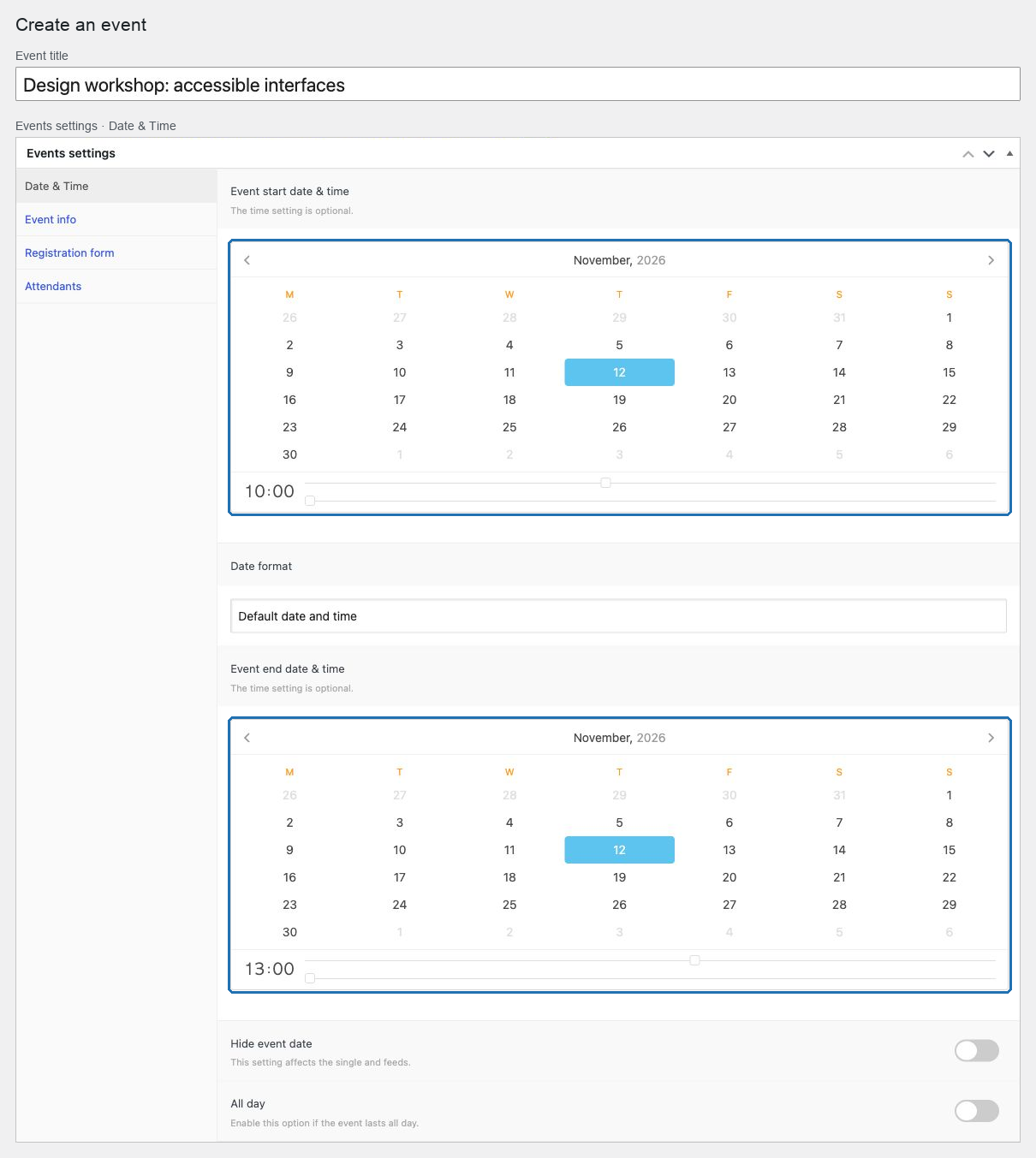
The Events settings panel — the event-specific data, in tabs: Date & Time, Event info, Registration form, Attendants and, with WooCommerce, E-Commerce.
The Event assistants panel — who registered. Covered in Attendees.
Dates are the spine
Almost everything downstream depends on the start and end dates:
- the order events appear in lists and in previous/next navigation;
- whether an event is still shown as upcoming;
- what the search form's date picker matches;
- where the event sits in the calendar;
- whether the registration button offers registration, the waiting list, or the finished label.
An event with no end date behaves unpredictably in every one of those. Always set both.
What is optional
Most of the panel is. Empty fields are simply not rendered on the public page — no empty labels, no blank sections. Fill in what the event genuinely has:
- a place, if there is one;
- an organizer, if it is not obvious;
- a telephone, if someone answers it;
- additional links, if there is somewhere useful to send people.
Two things to decide before creating many events
Your taxonomy structure. Event types and categories are what the public filters offer. Design them once, before fifty events exist with inconsistent terms.
Your date format convention. Each event can print its dates differently. Choose one convention for the site and apply it, so lists read consistently.
Start with Title, content and image.