
Create a shareable sales configuration
Use this pattern when a sales or support team wants to send a customer a preconfigured product that still uses current prices, stock, and rules when opened.
Prerequisites
Publish and verify the Composite product first. Enable the separate Saved Product Configurations tweak when the workflow needs product presets or customer-owned saved configurations. Decide whether the starting point should be a preset, chapter URL parameters, or a customer-owned record.
Create the starting configuration
- Edit the Composite product.
- Enable Push changes to URL for only the chapters whose selections are appropriate for a public link.
- For one-of-one chapters, set Maximum units per option to
1. Their product cards show an informative×1after selection instead of a redundant number field. - Save the product and review each generated URL parameter.
- Under Product presets, create a named preset for a stable commercial starting point, such as Starter, Professional, or Premium.
- Open the public product with the preset.
- Adjust any URL-enabled chapter selections. The address updates while preserving
presetand other campaign parameters. - Copy the final URL and open it in a private browser window before sharing it.
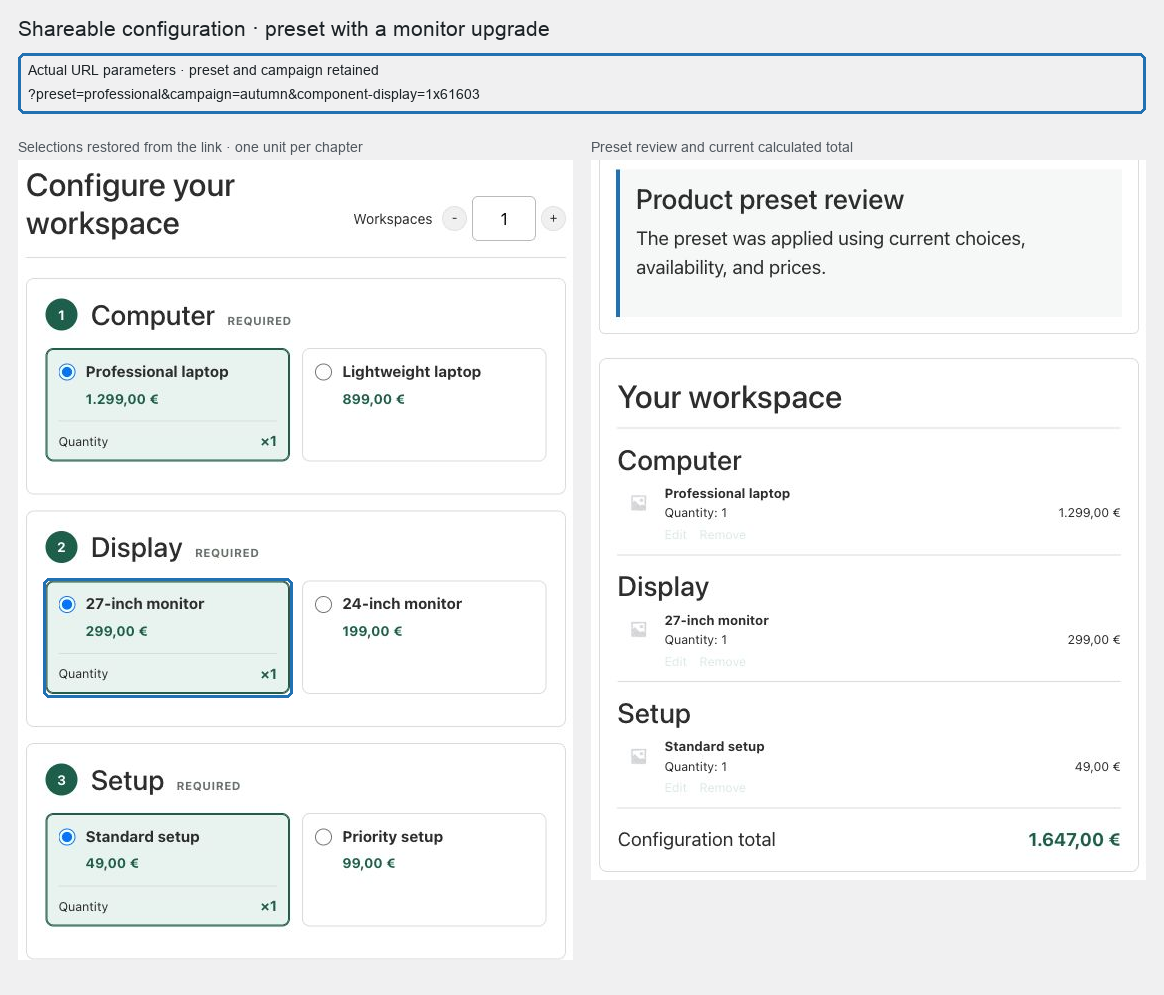
Expected result
The preset supplies the starting configuration. Explicit component or Add-On parameters override only the keys they name. The server then resolves every choice against current catalog membership, stock, scenarios, compatibility, Add-Ons, and price.
Privacy and lifecycle choices
Do not place personal, confidential, or sensitive text in a product URL. File values are never supported there. Use the Saved Product Configurations feature when a signed-in customer needs to reopen a private configuration or create a controlled share link.
A preset or URL does not freeze price or availability. It is a convenient starting intent, not a quotation token.
Verify and troubleshoot
Test the link while signed out, after changing a component price, and after making one selected option unavailable. Confirm current data wins, invalid intent is removed or rejected, and add to cart remains disabled until a valid quote returns.
If two chapters request the same parameter, save the product and use the collision-safe keys POM Tweaks stores for that product.
Related: Share Composite configurations and Manage Composite carts and orders.